
 English
 Français
 Deutsch
 Nederlands
How To Deal With Lost Packages In Dropshipping (2026 Guide)
What do you do when a customer says their package is missing? Learn how to reply, how to avoid PayPal bans, and how to stop losing money on lost packages.
Most guides treat tracking as a customer-service problem: answer the “where is my order” emails faster and you’re done. For a store doing real volume, that framing misses where the money actually goes. Broken tracking doesn’t just cost you time — it costs you chargebacks you can’t contest, marketplace penalties you can’t appeal, and refunds on orders that were never actually lost.
Almost all of it traces back to a single fact most sellers never have explained to them: a package shipped from China carries two different tracking numbers, not one. Hand your customer the wrong one and the tracking appears to “die” mid-journey, even though the parcel is moving normally.
This guide is written for sellers past the beginner stage. It covers how the two-number system actually works, which tools read both numbers, the three levels of tracking and what each one is really buying you, how tracking becomes your strongest defense in a PayPal or Stripe dispute, and how to automate the whole process once manual copy-pasting stops scaling. By the end, “where is my order?” should be a solved problem — not a daily fire.
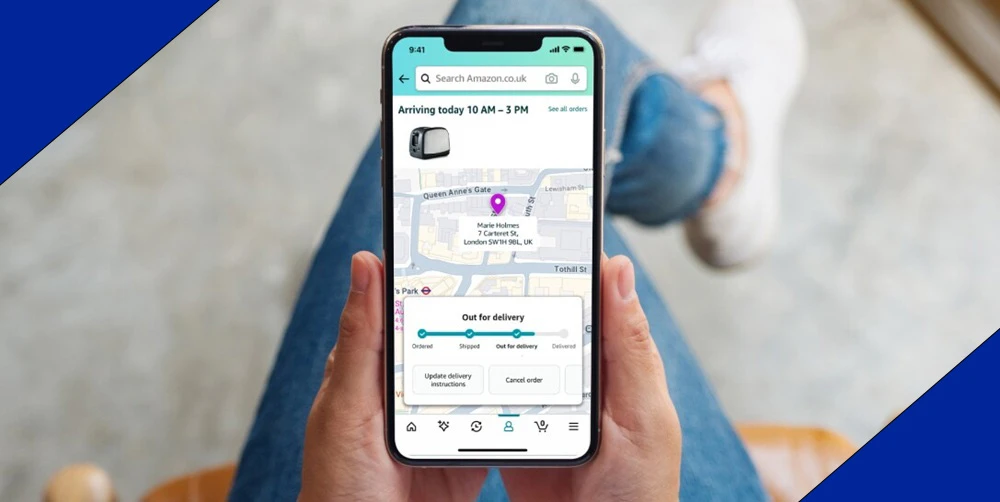
Here’s the scenario every seller hits: you copy the tracking number from your supplier, send it to your US customer, they enter it on USPS.com, and it returns “Status Not Available.” The customer assumes the order is lost. It isn’t — you’ve just handed them a number their local carrier can’t read.
A parcel from China almost always travels under two separate tracking numbers, and understanding the handoff between them is the whole game.
The first-mile number is issued in China by the line carrier — YunExpress, 4PX, Yanwen — and usually looks something like YT1234567890. It tracks the international leg: pickup, export scan, the flight, and arrival in the destination country. This is the number your supplier gives you. It’s also the number that returns an error on USPS or Royal Mail, because those carriers have never heard of it.
The last-mile number is generated only after the parcel clears customs and is injected into the local network. At that point USPS, Royal Mail, or DPD issues its own domestic number — the 9400... format in the US — and takes over final delivery. This is the number your customer actually needs, and the one most sellers never capture.
The reason tracking appears to “die” is the handoff itself. Parcels move internationally in consolidated bulk, clear customs as a batch, and are only split back into individual domestic shipments on arrival. Until that split happens and the new number is generated and linked, the first-mile number simply stops updating. Nothing is lost — the parcel is sitting in a sortation facility waiting to be passed to the local carrier. But to a customer staring at a frozen tracking page, “no update for six days” reads as “my package is gone.” (This is the same consolidation-and-relabel process we cover from the opposite angle in our guide to hiding Chinese shipping info — same mechanism, opposite goal.)
So the problem was never a “broken” number. It’s that two numbers exist, they belong to different carriers, and the gap between them stays invisible unless you use a tool built to bridge it. That bridge is Step 2.
Once you understand that two numbers exist, the job becomes connecting them — automatically. The tools that do this fall into two categories, and choosing the wrong one for your goal is a common mistake.
Aggregators are tracking sites your customer visits directly; 17TRACK and ParcelsApp are the big two. You give the customer the first-mile number and the aggregator does the bridging: it recognizes the YunExpress number, finds the linked USPS or Royal Mail number once customs clears, translates Chinese status updates into English, and shows the full journey from factory to door on one page. They’re free, accurate, and need no setup. The trade-off is that the customer sees everything — including the Chinese origin and the customs nodes.
Branded tracking apps install on your store instead; AfterShip, ParcelPanel, and Tracktor are the standard choices. They do the same number-bridging behind the scenes, but the tracking page lives on your own domain, carries your branding, and — critically — lets you control what the customer sees. Origin scans can be suppressed, statuses rewritten, and the page kept on-brand. They also sync status back to your store and trigger automatic email updates.
| Tool | Type | Links both numbers | Syncs to your store | Can hide origin |
|---|---|---|---|---|
| 17TRACK | Aggregator | ✓ | — | Limited |
| ParcelsApp | Aggregator | ✓ | — | — |
| AfterShip | Branded app | ✓ | ✓ | ✓ |
| ParcelPanel | Branded app | ✓ | ✓ | ✓ |
| Tracktor | Branded app | ✓ | ✓ | ✓ |
The right choice depends entirely on your goal:
Whichever route you pick, the non-negotiable is that the tool bridges both numbers automatically. Manually matching first-mile to last-mile numbers across hundreds of orders is exactly the work Step 5 exists to eliminate.
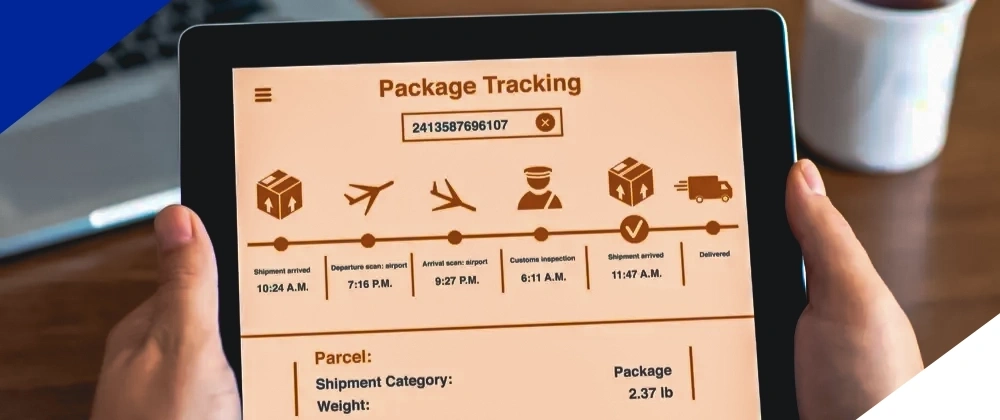
Not all tracking is equal, and the shipping method you choose decides how much of it you get. The difference isn’t only how often the page updates — it’s whether that tracking holds up when a customer disputes the charge or a marketplace audits your account. There are three levels.
Level 1 — No tracking (the “blind” budget method). The cheapest options, like Cainiao Super Economy, stop updating the moment the parcel leaves China. The customer sees “Departed country of origin,” then nothing for two or three weeks. Beyond the support headache, this level is worthless as evidence: with no delivery confirmation, you lose every “item not received” dispute automatically. Avoid it on any order you can’t afford to simply refund.
Level 2 — Basic tracking (ePacket, China Post). Tracking exists but updates slowly, often with five-day gaps and long “awaiting customs” stretches. It’s better than nothing and usually produces a delivery scan eventually, but the lag generates a steady stream of customer emails, and the inconsistency makes it shaky dispute evidence. Acceptable for very low-value items where speed was never promised. Our ePacket guide and Yanwen review cover where these still make sense.
Level 3 — Dedicated-line tracking (YunExpress, CNE, 4PX). This is what serious stores run on. Updates are daily and end-to-end: export scan, flight, customs, local handoff, out for delivery. The customer rarely needs to email you — and just as importantly, you get clean delivery confirmation that wins disputes and keeps your marketplace tracking metrics healthy. Compare the main lines in our reviews of YunExpress, CNE Express, and 4PX.
| Level | Examples | Update frequency | Usable as dispute evidence? |
|---|---|---|---|
| No tracking | Cainiao Super Economy | Stops after China | No |
| Basic | ePacket, China Post | Every few days, large gaps | Weak |
| Dedicated line | YunExpress, CNE, 4PX | Daily, end-to-end | Strong |
The pattern is simple: the cheaper the shipping, the weaker your position the moment anything goes wrong. That connection — between tracking quality and your ability to defend a sale — deserves its own section.

For a store doing volume, tracking stops being a customer-service nicety and becomes financial and account protection. Here’s the part beginners never see: when a customer disputes a charge, your tracking is usually the only evidence that decides whether you keep the money.
PayPal. When a buyer files an “Item Not Received” claim, qualifying for PayPal’s Seller Protection requires you to provide proof of delivery. If you can’t show a valid tracking number proving the item arrived, PayPal typically refunds the buyer. No valid last-mile tracking means you lose by default — the Chinese first-mile number that errors out on the carrier’s site is worthless here. (One caveat worth knowing: INR claims that arrive as card chargebacks aren’t covered by Seller Protection at all, though solid tracking still strengthens your response.)
Stripe and card chargebacks. For “product not received” chargebacks, your evidence package centers on the carrier name, the tracking number, and proof of delivery to the buyer’s address. Same principle applies: a number that resolves to a delivered scan wins the case; a frozen Chinese number does not.
Amazon. This is the strictest. Amazon requires sellers to maintain a Valid Tracking Rate of at least 95% on seller-fulfilled orders over a rolling 30-day period, and dropping below it can trigger restrictions on selling in that category, listing suspension, and loss of premium shipping eligibility. It targets China dropshippers directly: since January 2025, shipping to the US from China requires tracking, and packages under $5 must carry at least one valid carrier scan. The number also has to be unique and scannable — Amazon verifies it against actual carrier scans, so a placeholder won’t pass.
eBay and TikTok Shop enforce their own versions of the same rule. The common thread: every platform now treats valid, scannable tracking as a condition of doing business, not a courtesy.
The 2025 customs changes make this sharper, not softer. With every parcel clearing customs formally, delays are more common — and each extra day in customs is another chance for an impatient buyer to file an INR claim. The cheap shipping line you picked to save a dollar is the same one with no reliable delivery scan to defend you when they do. That isn’t a saving; it’s a deferred loss. Which raises the practical question: how do you guarantee a valid tracking number on every order without doing it by hand? That’s Step 5.
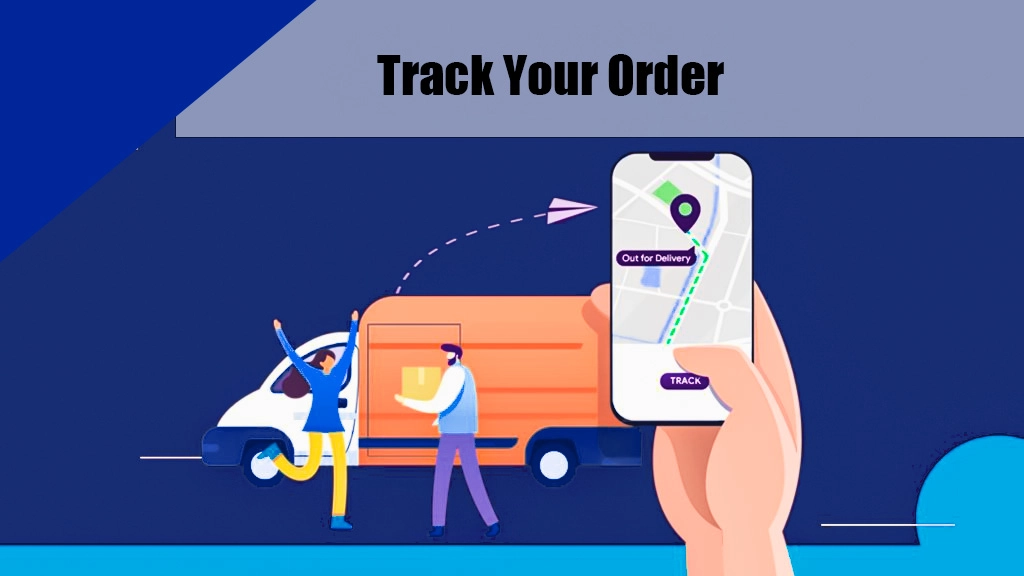
At ten orders a day, manually copying tracking numbers is annoying. At a hundred, it’s impossible — and every number you forget to update is a VTR ding or an unanswered “where is my order” email. Past a certain volume, tracking has to run itself. That automation has two halves, and most sellers only set up one.
The app layer is the part everyone knows. A branded tracking app — AfterShip, ParcelPanel — connects to your store, and when an order ships, it automatically emails the customer a branded tracking link, then keeps the status updated as the parcel moves. Customers stop emailing you because they can watch the journey themselves, and your store stays in sync without anyone touching a spreadsheet.
The source layer is the half that quietly breaks everything — and where most setups fail. An app can only push the number it’s given. If your supplier hands you a first-mile Chinese number that errors out on USPS, the app dutifully emails your customer a broken link: automation that scales the problem instead of solving it. For the system to work, something upstream has to generate a valid, scannable last-mile number for every order and feed it back into your store.
That’s the part a fulfillment partner handles. When DailyFulfill ships an order, our system connects directly to your store and automatically sends the correct last-mile tracking number — the local USPS or Royal Mail number, not the Chinese one — straight to your customer, synced across Shopify and the other platforms we integrate with. The two layers work together: we generate and push the valid number, and your tracking app presents it on a clean, branded page.
The result is the version of tracking you actually want — every customer gets a working number automatically, your VTR stays healthy, your dispute evidence builds itself, and “where is my order?” quietly disappears from your inbox. See how the full automated fulfillment flow fits together.
Even on a good shipping line, parcels stall — a customs hold, a missed scan, a weather-delayed flight. The first job is telling a delay apart from an actual loss, because they call for opposite responses.
A delay looks like tracking paused at a customs or sortation scan, with no sign of return or exception. Most clear themselves within a few days. A genuine loss is tracking that has gone completely silent for more than seven days with no customs scan, or that shows a delivery exception or return-to-sender. The seven-day rule is the practical line: under a week, reassure; over a week with no movement, act.
When a customer asks, don’t go quiet — silence is what turns a delay into a dispute. A clean, honest reply does most of the work:
Hi [name], thanks for checking in. Your order is in transit and currently clearing customs, which can add a few days to the timeline. Here’s your live tracking link: [link]. I’m keeping an eye on it and will update you the moment it moves — it’s on its way.
That message buys patience precisely because it’s specific and shows you’re watching, rather than a generic “please wait.”
If tracking is genuinely stuck past seven days, escalate. This is where a real fulfillment agent earns its keep: they can contact the carrier directly, open an investigation, and come back with a real answer or a reship. An AliExpress supplier will usually just stop replying.
Throughout, screenshot everything — the tracking timeline, your messages, any carrier response. If the order later becomes a PayPal claim or a chargeback, that record is exactly the proof of delivery (or proof of genuine effort) that decides the case. For the full playbook on refunds, reships, and protecting yourself when a package is truly gone, see our guide to dealing with lost packages in dropshipping.
Learn dropshipping tips, sourcing strategies and fulfillment insights from DailyFulfill
What do you do when a customer says their package is missing? Learn how to reply, how to avoid PayPal bans, and how to stop losing money on lost packages.
Are you sending money to a fake dropshipping agent? Learn the top 5 scams, how to spot a fake supplier on WhatsApp, and how to keep your money safe.
Do your customers know you dropship from China? Learn how to hide Chinese tracking, remove factory invoices, and look like a real US or UK brand.
Because you’re using the first-mile (Chinese) number while your customer checks a local carrier site like USPS that doesn’t recognize it. The Chinese line carrier’s number only tracks the international leg. Once the parcel clears customs, a separate local number takes over — that’s the one your customer actually needs to enter.
The first-mile number is issued in China by the line carrier (such as YunExpress) and covers the international leg — pickup, flight, and arrival. The last-mile number is generated after customs by the local carrier (USPS, Royal Mail) and covers final delivery. A package has both, but only the last-mile number works on local carrier websites.
For customers, 17TRACK and ParcelsApp are the most reliable aggregators — they automatically link the Chinese and local numbers and translate Chinese updates into English. If you’d rather show a branded tracking page on your own store that you also control, use an app like AfterShip or ParcelPanel instead.
Because the first-mile number stops once the parcel is handed to the local carrier. Until the new local number is generated and linked, there’s a gap with no updates — usually a few days during customs and sortation. The package isn’t lost; the tracking simply hasn’t switched numbers yet.
On a dedicated line like YunExpress or CNE, expect daily updates, with delivery in 6–12 days to the US and 3–8 days to core EU markets. On budget methods like ePacket or China Post, updates can lag five days or more, with long “awaiting customs” gaps. The shipping line you choose sets the update frequency.
Effectively, yes. To qualify for PayPal Seller Protection on an “Item Not Received” claim, you must provide valid proof of delivery. Without a tracking number showing the item arrived, PayPal typically refunds the buyer. It must be the working last-mile number — a Chinese number that errors out won’t count as proof.
Connect a branded tracking app (AfterShip, ParcelPanel) to your store so it emails customers a tracking link automatically when an order ships. The other half is the source: your fulfillment setup must generate a valid last-mile number for each order and sync it back to your store, or the app simply forwards a broken one.
Not reliably. Some platforms let you look up an order through your account, but carrier-level tracking needs the number. If your supplier hasn’t given you one, treat it as a red flag — it usually means a no-tracking budget method, which leaves you with no delivery proof if the order is ever disputed.